Posts

Showing posts with the label Salesforce Admins

Salesforce Flows | Consider Implementing a Kill Switch Design for Flow (On/Off Switch)

Image
In this post we will see why we should consider to create a Kill Switch or an On/Off Switch for Salesforce Flows. Also, we will see one of the potential (many) ways to create this Kill Switch or On/Off Switch for Flows .This can be useful specially for Record Triggered Flows(After Save, Before Save and Before Delete Flows ). 
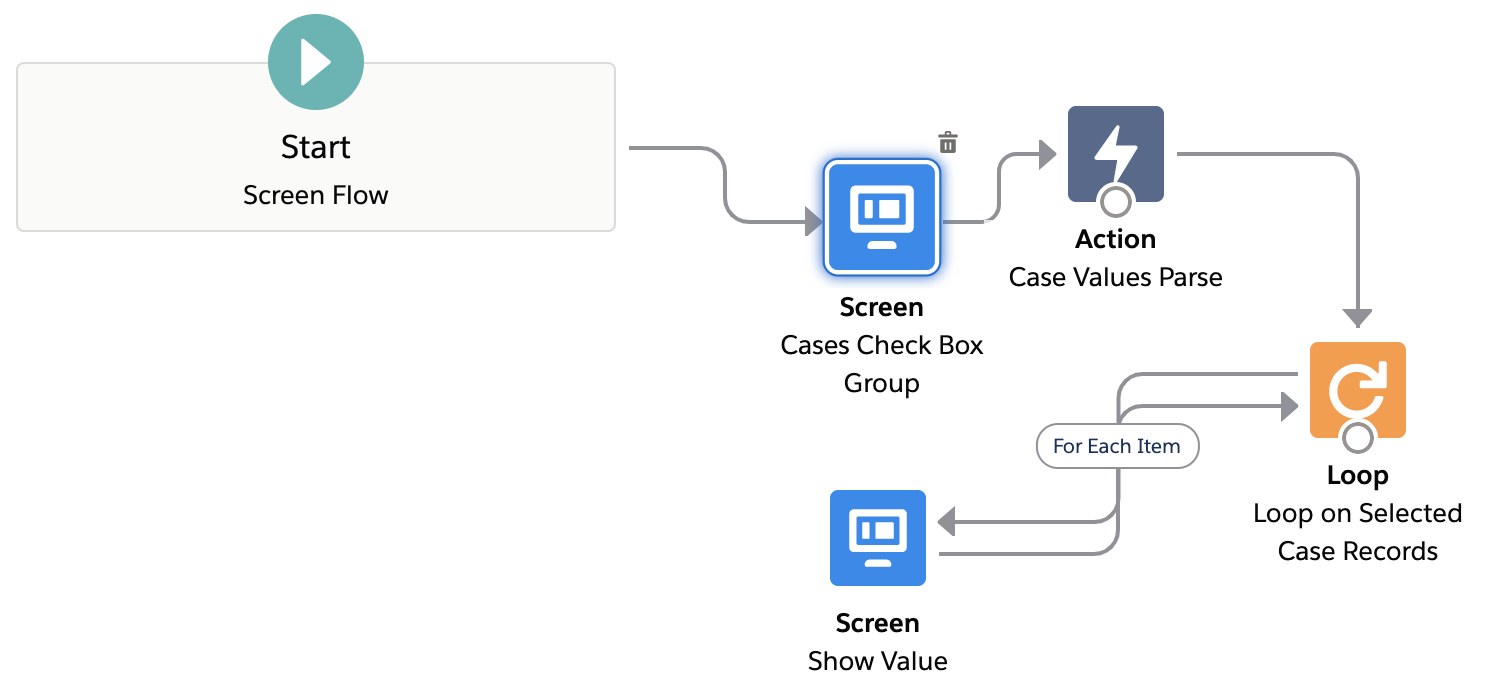
Flows | Loop on Checkbox Group Values in Flow using Apex Action

Image
Salesforce Flow Get Values from Checkbox Group. In this post we will see how to Parse and use the values from a Multi Select Checkbox Group on a Screen Flow. Salesforce Flow Multi Select Checkbox can used for many use cases. We will use a Record Choice Set to show Multiple Checkboxes on Flow Screen and display Record values as choices or checkboxes. After that we will explore a way to use the selected values from the Record Choice Set to perform actions like Looping over the Checkbox Group values.  Let's see how to use the Salesforce Flow Checkbox Group Output effectively. 

Flows | Display Clickable Image with URL Link on Screen Flows

Image
Navigate to an URL by clicking an Image in Salesforce Screen Flows. In this post we will see how to add and Display Image on a Salesforce Flow Screen. Also, we will make the Image in Screen Flow Clickable to navigate to a web page or a URL link. We will be first adding  Image on a Salesforce Flow Screen and then embed a Link url to it. This will make the Flow Image Clickable to navigate to any URL.  We will achieve this clickable image on the Flow Screen without writing any code or adding any Lightning Component.

Spring '21 Flows | Is Changed in Record Triggered Flows using Prior Value

Image
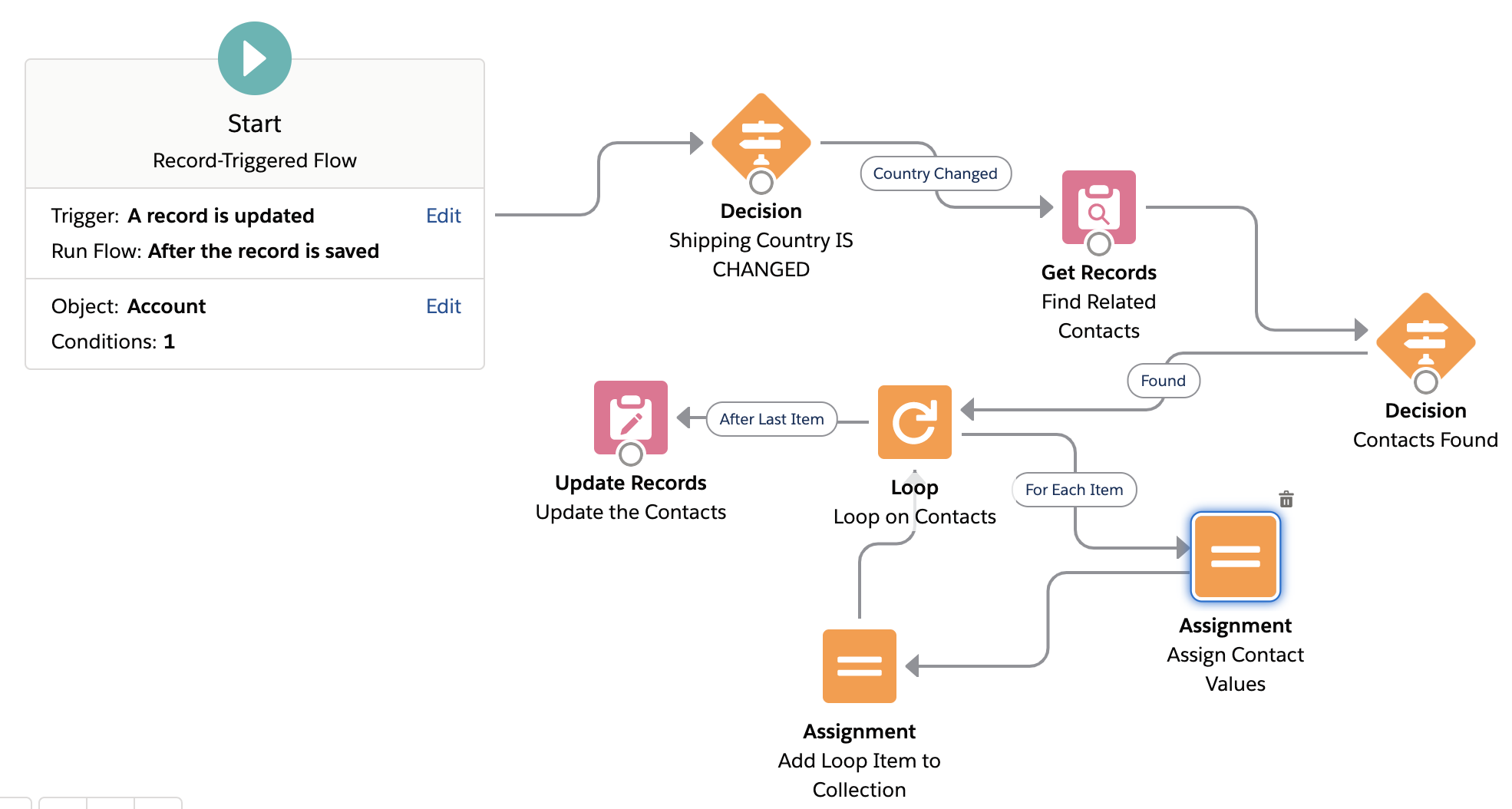
Is changed in Flows Salesforce and Prior Value in Flows :  Spring' 21 Salesforce Release has introduced a new and exciting Flow feature which is Record   Prior Value variable in Record Triggered Flows. This basically means that now we can see and use the Old Values (old field values) of the Record that fired the Flow and Compare old and new values of record in Record Triggered Flows . Salesforce Flow Prior Value feature can be used for many use cases and scenarios which were previously only possible using an Apex Trigger. In this post we will see the  use of  Prior/Old Record Value variable using an After Update Record Triggered Flow . We will implement  Is Changed   in After Update Record Triggered Flow .

Salesforce Flow Loop Basics | Clone or Share Files using Flows

Image
How to Copy a File from one object to another using Flows in Salesforce? How to copy a File Link from one Record to another in Salesforce Flow? In this article we see how to use Loops in a Flow and how to use Assignment Elements in a Flow through this Use Case -  Share or Copy a File from one Record/Object to another in Salesforce . Basically, we will see how to Share a specific File with Multiple Records which also includes a way to Copy a File from One Object to Another in Salesforce .There are many ways to achieve this (like using Apex etc.), but we will do File Sharing / Cloning  using Flows . In this article, I will use an After Update Record Triggered Flow  to show this use case.

Flows | How to Send Custom Notifications from Flow

Image
Custom Notifications from Flows Salesforce :  In this post we will see how to use or Send Custom Notifications from Flows in Salesforce. We will combine two new and powerful features of Salesforce i.e.  Record Triggered Flows and Custom Notification Builder  to make life easier for End Users so that they are able to keep a track of important events/notifications/updates on records that they are working on. 

Use Flows to Track Unread Emails on Cases in Salesforce

Image
In this post we will see how to track or check Unread Emails or New Emails on Cases in Salesforce. This will help users working on Case Management or Service Cloud to keep a track of Cases on which new Emails are received from customers and needs their attention. Users can easily Check if a Case has New or Unread Email even from List Views directly using this approach. 

Flows | Show Animations in Flow Screen using GIFs

Image
In this Post, we will see how to show Animations in  Salesforce  Flow using Flow Screen. We will show animations using GIF files in a Screen Flow.

Flow Basics | Bulkify Flows to Insert/Create Multiple Records

Image
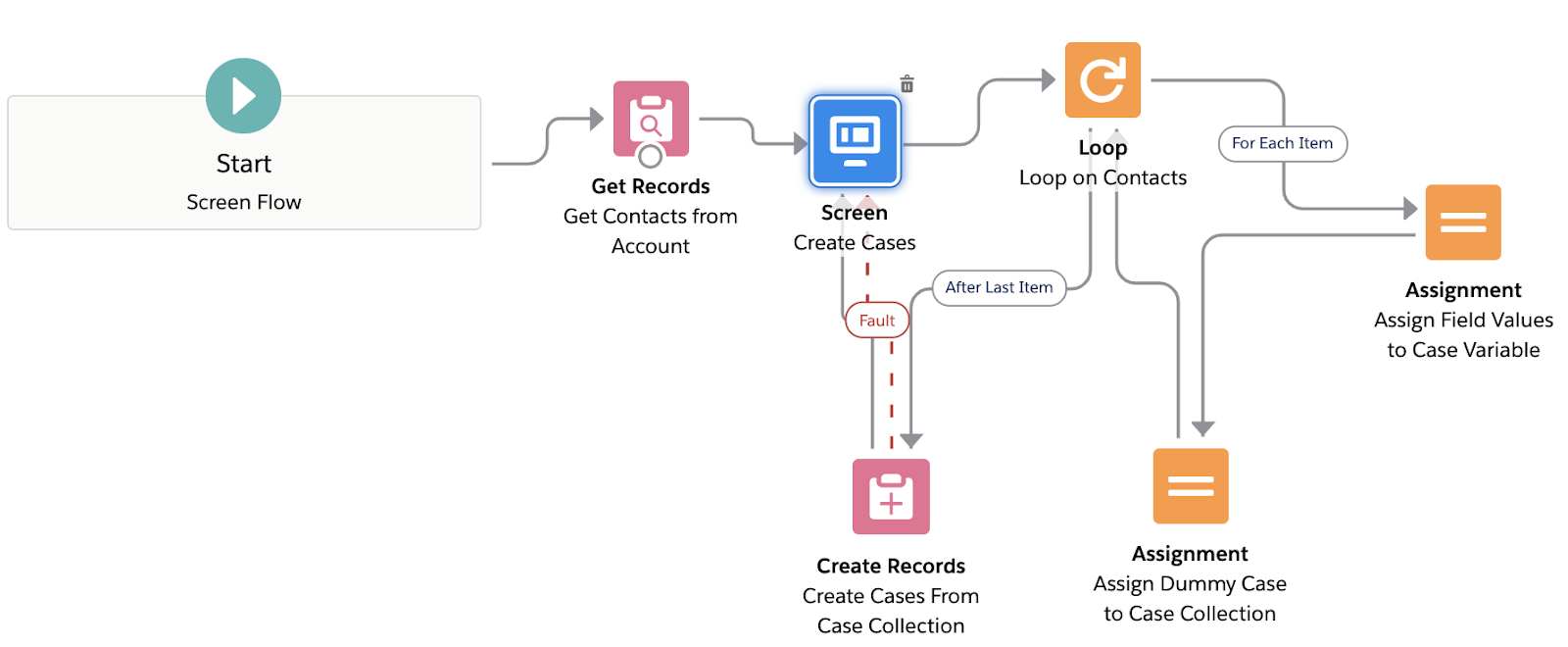
In this post, I will be showing how to Bulk Insert Records using a Flow in Salesforce. We will Bulkify Flow to create Multiple records of an object at once instead of creating them one by one inside a Loop. 

Salesforce Flows | Run Flow from URL and Set Flow Input variable values using URL

Image
In this post I will discuss about how to run or fire Flows in Salesforce from URL. We will see how to pass and set Input variable values of a Flow using URL. Also, we will get an idea about how to fire a Flow from a Custom Button, Web Tab and even from a Formula Field. Yes, that's right a Formula Field.

Flows | Use Hierarchy Custom Setting in a Lightning Flow

Image
In this blog, I am going to show how to use Hierarchy Custom Setting in a Flow. We will see how to avoid Hard Coding values in a Flow which frequently change. Also, we will see how to maintain different values for a same parameter for different profiles/users using custom settings.

Flows | Use Loops to De-Duplicate collection variables in Flow

Image
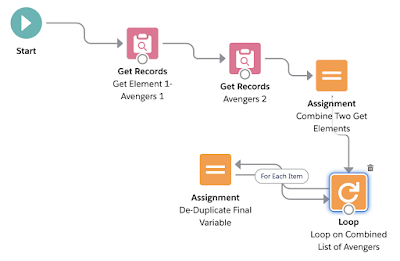
In this article, I am going to show how to remove duplicates or common values from collection variables in Salesforce Flows using Loops.

Flows | Do Validations Using Before Save Update Flow in Salesforce

Image
In this article I am talking about Before Save Flow in Salesforce.We will see how can we use Before Save Update Flows to fire Validation Rules and perform complex data validations without custom code.

Flows | Upload File using Flow in Salesforce

Image
Salesforce Flow File Upload In this blog I am going to show how to Upload Files using Flow Builder in Salesforce. We will also see how to use Screen Flows to create Record Create Forms.

Salesforce LWC : Create a Star Rating Component using LWC

Image
LWC SALESFORCE: CREATE A STAR RATING COMPONENT USING LWC Star Rating using LWC This blog is to demonstrate how to create a basic Star Rating Component with LWC. Use Case/ Problem Statement: A Rating Component is required for a Food Delivery business so that users/customers can provide rating on different parameters and we can get and store user's rating input values in Salesforce. This component must be usable on Salesforce Community pages (login based or public). Solution: We will create the Star Rating component using Lightning Web Components which can be easily hosted on community pages. Since we will use LWC this will be fast and highly customisable.  There are many ways to achieve this using HTML,Javascript and CSS and there is lot of material and sample code online in various developer forums. But for someone like me who isn't from a web designing or Javascript background it was a bit difficult to find a simpler and easy to use version of html an...

Salesforce Flows: Mini App developed using Salesforce Lightning Flows

Image
Salesforce Lightning Flows: Easy and Powerful Where will you love to Fly Post Lockdown? Checkout a simple Travel Survey App created using Screen Flows and nothing else. This is to showcase how simple and powerful flows can be. I will be posting about how I created this in my next blog!Till then checkout the power and simplicity of Lightning Flows! Click here to Checkout Survey App & Demo! Please Subscribe or Follow for future updates as I am planning to share more stuff around Flows,LWC and Salesforce in future. A bit of motivation and encouragement goes a long way. Subscribe using your email at the top of the page.  

PLATFORM APP BUILDER CERTIFICATION - 78% OFF


Never Miss Latest Posts